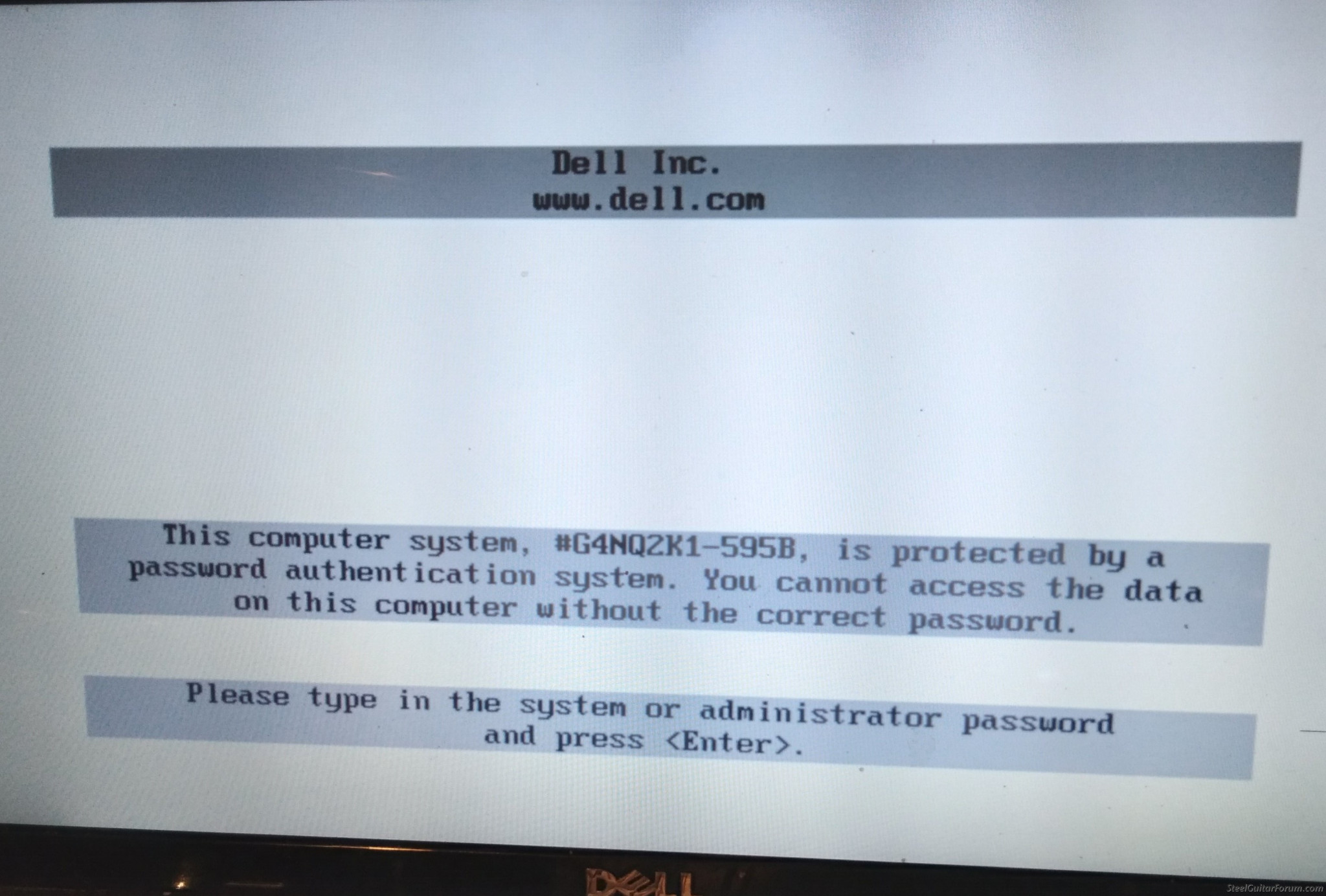
Dell Inspiron 1545, mod pp41l, win7 will not let me go to setup, or boot options, goes to password page.
I have tried to reformat HD with a connection dock but will not recognize it. I have read that there is a jumper on the mainboard but don't want to go to that much hassle. Would it recognize a new/formatted HD?
Bill Ford S12 CLR, S12 Lamar keyless, Misc amps&toys Sharp Covers
Steeling for Jesus now!!!
I don't know if there is a hack for this or not.
On the Dell support forums the stock answer is to call Dell support, but support won't unlock it unless you can prove you are the registered with Dell owner. Proving ownership is because of all the stolen laptops.
The CR2032 CMOS battery can be removed for about 5 minutes to reset the CMOS memory (BIOS) but that does reset the password requirement. There is nothing in the on-line 1545 documentation about any jumper (Clear CMOS (BIOS) jumper is on some models).
Thanks Jack, I tried reformatting the drive on an external USB adapter, the computer would not recognize it, I may try the battery thing, no biggie if I don't get it going, I helped a friend with some stuff on another laptop, and he gave me this one...also know there is nothing shady about this unit, he is like me in the memory dept. (us, not the computer!!) I've tried a couple online hacks that didn't work. The battery that you speak of is on the MB, which is a royal pain to get to is why I haven't done that already.
Thanks for your input
Bill Ford S12 CLR, S12 Lamar keyless, Misc amps&toys Sharp Covers
Steeling for Jesus now!!!
According to the service manual the battery is on the underside of the motherboard and it has to be removed to access it.
Given that the battery life is about 5 years and this is 12 years its probably shot.
As noted, the Dell ownership requirement was instituted about the same timeframe as this PC, due to the large number of stolen laptops. Unfortunately that leaves legitimate owners such as you, that did not get registered Dell ownership transferred, without a way to get it unlocked by Dell.
Installing Support Assist, if it would even install on an old legacy system, is not an option. He can't get to Windows because of this password screen.
There is no password reset pins listed in the Dell manual. Just how to access the CMOS memory battery. If that doesn't reset it, the only option left (and listed in the Dell document) is what I originally noted as a Dell support option.
This may help. https://bios-pw.org/ Try typing this password exactly in the password block on your computer. c117au2s. This is supposed to be a default Dell password. If it works go straight into bios and change password or delete the old one and leave it blank. I just went through this and I found that this works Winston May
Finally got it to recognize the repair disc, says no HD found, put drive in a dock to reformat, doesn't show..May try again later, got a bad case of brain scramble now.
Thanks for the help.
Bill Ford S12 CLR, S12 Lamar keyless, Misc amps&toys Sharp Covers
Steeling for Jesus now!!!
Got it to take generic password, got past dell PW to windows PW, windows starting and working as normal, reinstalled Win7, upgraded to Win10, operating as normal.
How do I change/eliminate Dell password page?
Thanks, Bill
Bill Ford S12 CLR, S12 Lamar keyless, Misc amps&toys Sharp Covers
Steeling for Jesus now!!!
From all research, there is no way to eliminate/bypass this page, taking the battery out does not eliminate it, or delete the password. Windows starts without a password so I'll just leave it as is......Thanks for all the help, it's working, and useable, I've installed win 10 (to my surprise) working as it should.
Thanks again Bill
Bill Ford S12 CLR, S12 Lamar keyless, Misc amps&toys Sharp Covers
Steeling for Jesus now!!!